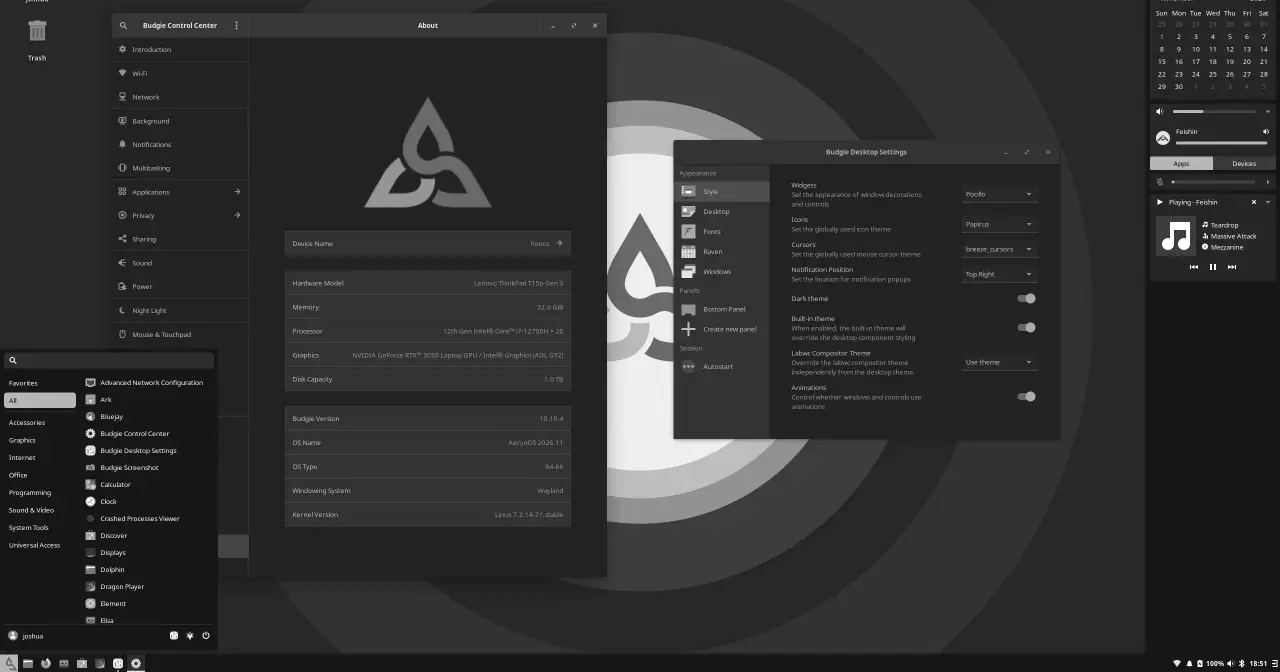
The AerynOS team put out a new image, 2026.11, on 2 November 2026, alongside its autumn blog post. It’s the first ISO since 2026.08 in August, and three changes stand out as soon as you boot it: a second installer, Budgie as a fourth desktop, and a package manager, moss, whose commands now look quite different.
What’s on the ISO
The image is a GNOME 51 live system whose job is to get the distro installed. It’s roughly 2.5 GB, x86_64 only, and boots Linux 7.2.14. Because AerynOS is a rolling release and the installer pulls packages from the network, it doesn’t really matter which ISO you use: you always end up with whatever is current in the repository.
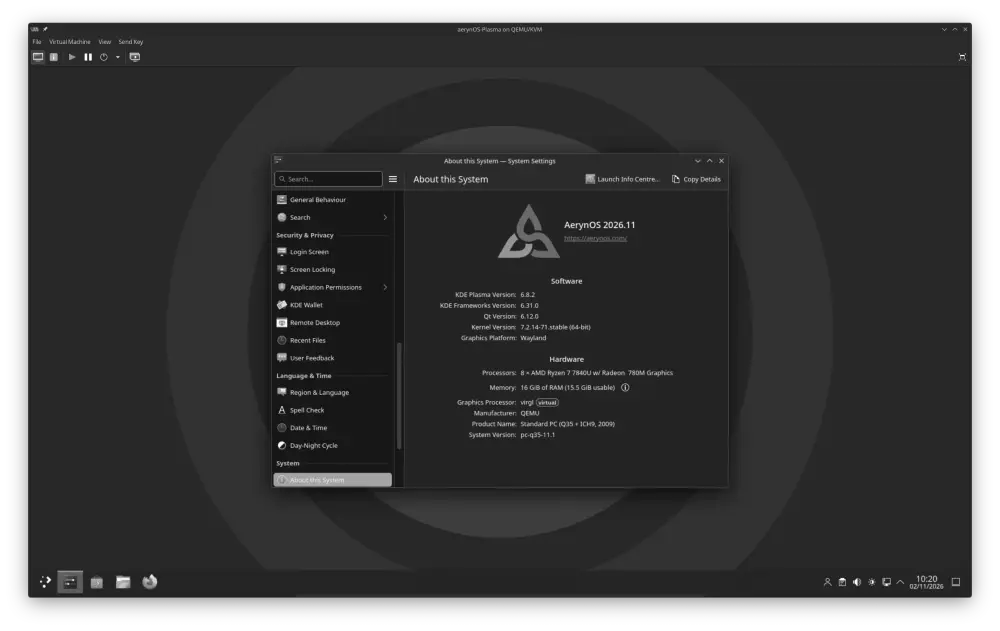
Current versions there include COSMIC 1.11 (with COSMIC Viewer, an app written by team member Bryan Hyland), GNOME 51.1, KDE Plasma 6.8.2, Budgie 10.10.4, Hyprland 0.57, Mesa 26.2.6, Firefox and Thunderbird 159, QEMU 11.1.3, PipeWire 1.6.11 and Wine 11.21. On the kernel side there’s a stable branch (7.2.14) and an LTS one (6.18.60).
A second installer, still being tested
The existing installer, lichen, stays (sudo lichen), but it now has company: lichen-installer (lichen-tui), which the project wants to make the default on the next ISO. What it adds:
- It partitions and formats the drive itself. With lichen you had to prepare partitions beforehand.
- It supports a Btrfs root, with a separate
@homesubvolume. - It sets up Wi-Fi and the keyboard layout during installation and carries them over to the installed system.
- It accepts your own
system-model.kdlto decide which packages get installed, and introduces an install-model format, also in KDL, for locale and keyboard.
What it doesn’t do, and the team is upfront about it: no disk encryption and no dual boot. The download page warns that the installer “intentionally does not support dual boot scenarios at this stage”.
Budgie joins the installer
Both installers now offer four desktops: Budgie, COSMIC, GNOME and KDE Plasma. Budgie arrives after work with Joshua Strobl, who leads that project. On the other hand, the terminal-only and headless options are gone: the team says people who picked them were asking for support out of all proportion, even though they were flagged as expert-only. The repository also carries around a dozen Wayland compositors (Hyprland, Niri, Sway, Labwc, Miriway, Mango and more) for anyone who’d rather build their own desktop.
moss gets a new command structure
This is the change existing users will feel most. The moss CLI has been rewritten using the derive approach of the Rust library clap, and it’s now organised around the system-model, the declarative description of what should be installed:
sudo moss repo ...to add, remove, enable or disable repositories.sudo moss package ...to add packages to, or remove them from, the model and apply the change.sudo moss sync -uto refresh the repositories and sync the system.
There are shortcuts (pad, prm, pif, rad, rrm) and a moss tree command that prints the whole hierarchy with examples. The announcement openly calls it a breaking change and admits a few features of the new CLI aren’t there yet.
fwupd also lands, with access to firmware updates from LVFS. The project had held it back so as not to suggest AerynOS was ready for everyday use.
Still alpha, deliberately
AerynOS describes itself as in development (alpha), used mainly by its own team and early adopters. The package repository is kept small on purpose, NVIDIA support is “best effort” because nobody on the core team has one of those cards, and the announcement stresses that the new installer doesn’t mean it’s daily-driver ready. Monthly ISOs were dropped in May; images now come out when there’s a major kernel or installer changes.
There are new faces on the team, too: Jaredy89 and K1ngfish3r join the staff as packagers. K1ngfish3r came over from Clear Linux, Intel’s distribution that has reached end of life, and Jaredy89 also packages for Solus.
From Serpent OS to AerynOS
The project started out as Serpent OS, founded by Ikey Doherty, who had earlier created Solus. The rename was announced on 14 February 2025: “Serpent OS” had been picked in a hurry, and serpents, the post said, don’t exactly inspire trust. The switch was completed on 17 March 2025, St Patrick’s Day (the name is pronounced like “Erin”, another nod to Ireland), and the first ISO under the new brand, 2025.03, came out on 25 March.
A month later, things changed. According to the review the team published in January 2026, Ikey Doherty went quiet in mid-April 2025 and never came back; in May, Ikey Doherty’s GitHub account named co-founder Rune Morling (ermo) as its successor, and the team voted unanimously to carry on under that stewardship. The website now lists Ikey Doherty as the retired founder, with ermo as project steward. Also in 2025, all the core tooling finished moving from D to Rust.
moss, boulder and Solus
The technical base is what sets AerynOS apart. moss looks like an ordinary package manager, but it stores every file from every package once, in a content-addressable store, and for each transaction it builds a fresh /usr tree that it switches to without a reboot. Updates are atomic, and you can keep as many previous states for rollback as your disk allows. To make that work, packages may only install into /usr. XFS is the recommended filesystem and has used reflinks since August.
boulder builds those .stone packages from stone.yaml recipes, designed as the successor to the package.yml format used by ypkg, the build tool from Solus. The default toolchain in its recipes is LLVM/Clang, with GNU available per package. If you’re interested in other takes on atomic systems, see our comparison of Silverblue, Flatcar and Talos and the history of NixOS, whose declarative model the AerynOS team itself describes as similar “in spirit, but not in the details”.
Sources: “More choice and developing tooling”, the download page and the about page on aerynos.com; “Evolve This OS” and “2025 in retrospect” on its blog; the os-tools and lichen-installer repositories on GitHub.