A month ago hardly anyone linked FreeBSD with Hyprland, the tiling Wayland compositor that has become so popular on Linux. Now two projects ship it out of the box, and this week one gave the other a hand. The developer of HyprBSD said on LinkedIn that the system now starts its desktop inside a virtual machine, something it couldn’t do before, thanks to earlier work by Daemonarchy, Jordan Hubbard’s project.
What happened: a failed test and a pointer
Jordan Hubbard, one of FreeBSD’s founders back in 1993 (we covered that in the history of BSD), tried HyprBSD RC1 in a virtual machine. The install finished fine, but Hyprland never started: it lacked support for the virtual graphics card. Hubbard then pointed to Daemonarchy, which already had VirtIO DRM graphics working on FreeBSD 16-CURRENT.
With that lead, the HyprBSD developer backported the support to FreeBSD 15.1-RELEASE, the base of the system, with help from Astra, as they put it. The screenshot attached to the announcement shows HyprBSD running in QEMU/KVM on an Arch Linux host that is itself running Hyprland: Hyprland inside Hyprland, with FreeBSD as the guest.
They tested graphics rendering, keyboard and mouse input, resolution changes and reboots. They also warn that review and integration work remains before this gets anywhere near a public release. Along the way they found a separate Hyprland shutdown bug, which they managed to reproduce and for which they’re testing a possible fix.
Why a virtual graphics card matters
A Wayland compositor like Hyprland can’t draw on just anything: it needs a DRM/KMS driver that gives it direct access to the graphics card. On FreeBSD those drivers come from the drm-kmod package, which covers Intel and AMD. A virtual machine has neither, only an emulated GPU, and released versions of FreeBSD don’t include the DRM piece for the VirtIO GPU that QEMU and KVM provide. Daemonarchy’s own documentation put it plainly in its early releases: virtual machines install and boot, but Hyprland needs a DRM driver, which FreeBSD VMs lack.
It may sound like a small thing, but for a small project it’s the difference between testing every change in a throwaway VM and reinstalling a laptop each time. And for the curious, it’s the easiest way to see the desktop without touching their own machine.
HyprBSD and Daemonarchy aren’t the same thing
They look alike, but the approach differs:
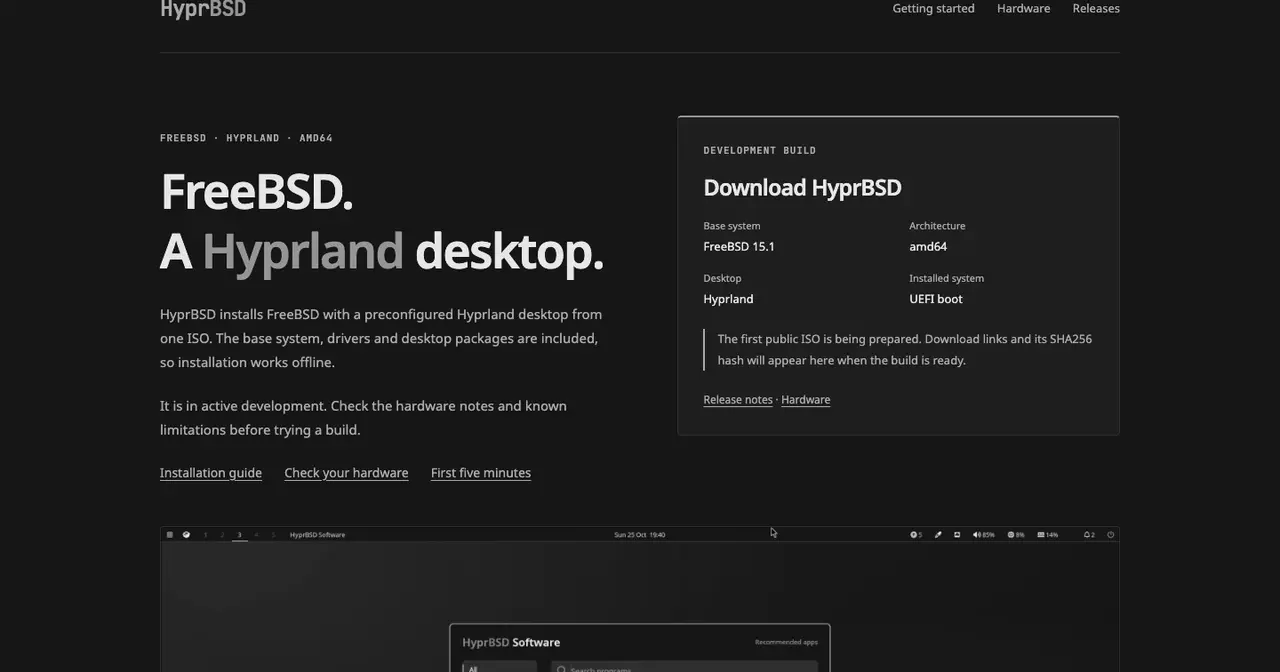
- HyprBSD installs FreeBSD 15.1 (amd64) with a preconfigured Hyprland desktop from a single ISO. It carries the base system, drivers and desktop packages, so installation works offline. It uses ZFS and saves a boot environment before each update so you can roll back. The installed system boots via UEFI. Its website records tests on a ThinkPad X1 Carbon Gen 7, a Dell Latitude E7250 and machines with Intel UHD 630, NVIDIA RTX 2060 and RTX 4060; AMD is untested. There’s no public ISO or published source yet: the site says the first image is being prepared and that the code will live on the project’s own Forgejo instance. The author doesn’t sign the project on the website.
- Daemonarchy is Omarchy, DHH’s desktop built on Arch and Hyprland, ported to FreeBSD and installed the way the Omarchy ISO does it. It’s built on FreeBSD 16.0-CURRENT, so each image is tied to the snapshot it comes from, and it downloads part of its packages during installation. It started on 30 September, released 1.0.0 on 9 October and is now at 1.3.1, from 25 October, with support for the MacBookPro16,1. QEMU VirtIO/VirGL support for a real Hyprland desktop landed in 1.1.0-rc.1, on 16 October. It puts what FreeBSD does well into the Omarchy menu: ZFS boot environments, hourly snapshots of home directories, jails, bhyve virtual machines and DTrace.
Daemonarchy has also drawn attention for how it’s made. The Register reports that Hubbard develops it with help from Claude, and the repository includes AGENTS.md and SKILL.md files for coding agents. It arrives in the middle of a FreeBSD debate about what to do with AI-written contributions, which still has no public decision.
What to keep in mind
Neither is yet a system for your work machine. HyprBSD hasn’t published its first ISO, and the virtual graphics support still needs review and integration. Daemonarchy does have an ISO, but on CURRENT, FreeBSD’s development branch, and its own documentation lists machines that don’t boot and pending tests on real hardware. If you want a stable FreeBSD, the official release is still the reference; you’ll find the support dates on the FreeBSD page and what the 15 branch brought in our FreeBSD 15.0 article.
What’s interesting is the gesture. Two projects with different bases, one on the stable release and one on the development branch, sharing work instead of competing. The HyprBSD developer signs off with “for better FreeBSD desktops for everyone”, and so far they’re living up to it. If you want to know where all this comes from, the starting point is Omarchy, whose 4.5 RC1 has just reached ARM.
Sources: the HyprBSD developer’s announcement on LinkedIn; the HyprBSD website and its hardware and releases pages; the Daemonarchy repository and its CHANGELOG on GitHub; FreeBSD founder ports Omarchy to FreeBSD in ten days, ten releases, in The Register.