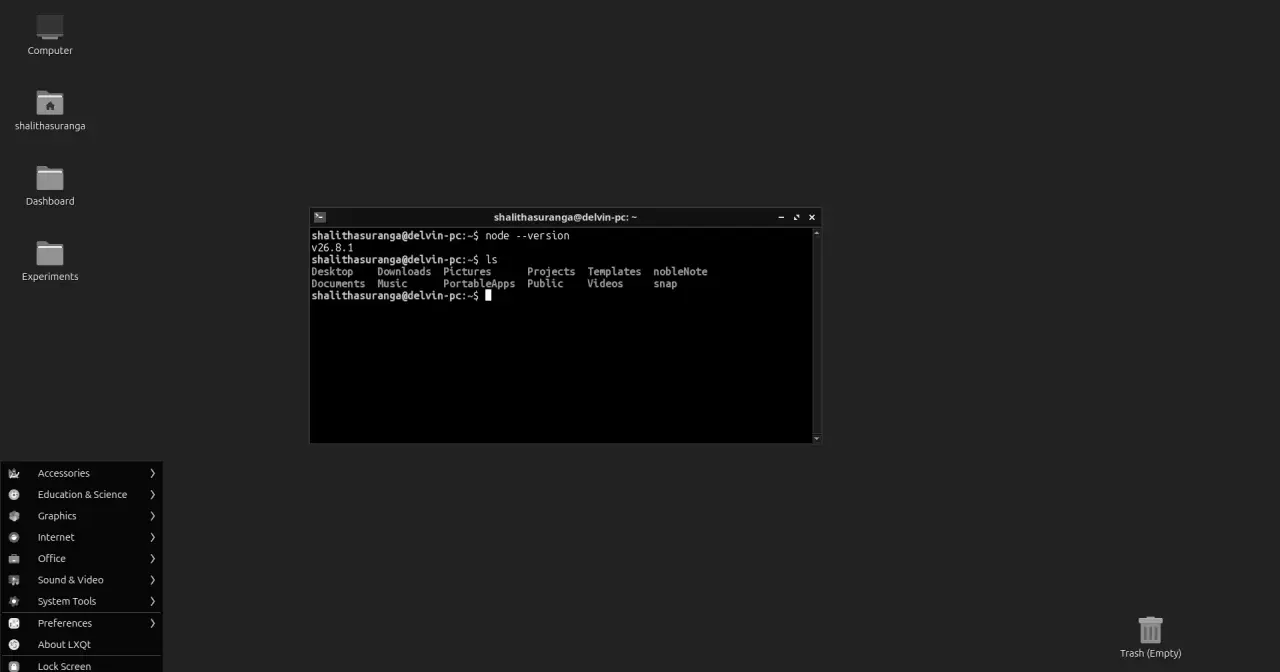
Shalitha Suranga has been programming on Linux since 2020. Suranga started with Ubuntu, like plenty of people, and recently wrote a piece for Level Up Coding explaining the move to Lubuntu. The argument fits in a line: on a PC with 4 GB of RAM, Ubuntu 24.04 used more than 1.1 GB doing nothing, while Lubuntu 26.04 sits at around 600 MB. Whatever is left over goes to the editor, the browser and the build.
The piece reads a bit like a manifesto and a couple of its claims are debatable, but it asks a good question, one that anyone with an old or modest laptop runs into: if I want to code on Linux without the desktop eating my resources, what should I install?
The two extremes the author rules out
Suranga describes two dead ends.
The first is the mainstream distributions. Ubuntu, Linux Mint, Fedora and Manjaro all work well, but their desktops, with animations, effects and background services, want a machine with 8 GB, an SSD and a decent GPU to feel quick. On a modest box, according to the piece, you get CPU spikes, programs that freeze for a moment and a system that takes a while to become usable even if it boots fast. The author also says Ubuntu started feeling “like Windows” once it dropped Unity. That change came with 17.10, when Canonical switched to GNOME.
The second extreme is the ultralight distros. Suranga tried Tiny Core Linux and the number is impressive: under 100 MB of RAM at idle. But Tiny Core has no desktop environment as such, only the FLWM window manager with a launcher bar, and that isn’t enough for eight hours of work a day. Tiny Core is now at 17.1, released on 16 July with kernel 6.18, and it is still what it always was: a minimal base you build on.
Rolling your own distro with Linux From Scratch isn’t presented as a practical option either. No argument there.
What Lubuntu 26.04 ships
Lubuntu is the official Ubuntu flavour with the LXQt desktop. It shares repositories, packages and schedule with Ubuntu, so anything that runs on Ubuntu runs here. We checked what the lubuntu-desktop metapackage actually installs on 26.04 LTS:
- LXQt 2.3 as the desktop (panel, session, configuration centre, the PCManFM-Qt file manager and the QTerminal terminal).
- Openbox 3.6.1 as the window manager, with the ObConf-Qt configuration tool.
- Picom 12.5 as the compositor, with its own settings panel.
- An X11 session by default: the metapackage depends on
xorg. - Tools a programmer will appreciate: htop, Git, fastfetch, the FeatherPad editor, NobleNote for notes and KDE’s KWallet password manager (LXQt and KDE are both built on Qt, and Lubuntu borrows a few KDE apps).
26.04 is supported until April 2029. Note that flavours get three years on LTS releases, not Ubuntu’s five. If you want the newest, 26.10 came out on 15 October with support until July 2027. Dates for every release are on the Lubuntu page.
Why it suits a programmer
What Suranga likes most is that the system stays out of the way. PCManFM-Qt has tabs, a tree view and an “Open in Terminal” entry in the context menu. QTerminal looks like Ubuntu’s terminal and almost everything about it can be set from the GUI. And Lubuntu ships htop alongside the graphical Qps monitor, which Suranga reads as a nudge towards the terminal.
The comparison with the old Ubuntu setup is the most practical part. Getting GNOME just right took GNOME Tweaks, some gsettings commands and a third-party extension to hide the top bar. On Lubuntu it was a few minutes in the appearance settings: the panel can be moved, duplicated or hidden without installing anything, and the LXQt configuration centre even lets you change the colour of individual parts of the interface.
One handy detail from the piece: since KWallet comes preinstalled, you can store Git tokens encrypted instead of leaving them in plain text in ~/.git-credentials. Git talks to the keyring through libsecret, but on Ubuntu the helper ships only as source code and you have to build it once:
sudo apt install libsecret-1-dev build-essential
sudo make -C /usr/share/doc/git/contrib/credential/libsecret
git config --global credential.helper \
  /usr/share/doc/git/contrib/credential/libsecret/git-credential-libsecret
What needs a caveat
The memory figures are the author’s own measurements on a single machine, not a controlled test. They are believable, since GNOME is clearly heavier than LXQt, but you will see different numbers depending on which services are running and whether snaps are loaded.
More to the point, on a 4 GB machine the desktop is rarely the biggest consumer. A browser with a handful of tabs, an Electron-based editor such as VS Code and a dev server can top 2 GB between them. Saving half a gigabyte with Lubuntu helps, and at the margin it decides whether the system starts swapping, but it won’t turn a 4 GB laptop into a 16 GB one. If the hardware allows it, more RAM or an SSD is still the biggest upgrade.
And “the lightest and most productive” is an opinion. Xubuntu, with Xfce, plays in the same league with a more traditional desktop, and there are options for even tighter machines. We cover them in our comparison of lightweight desktops: Xfce, LXQt and friends and in the guide to lightweight distros for an old PC.
Is it worth trying?
If you code on a machine with 4 or 8 GB and Ubuntu feels tight, yes. It is the same Ubuntu underneath, with the same packages and the same documentation, so there’s nothing to learn beyond where the settings live. Boot the ISO in live mode, open htop and compare with what you have now. If you’re coming from Ubuntu, our Ubuntu LTS guide and our look at Ubuntu 26.04 explain the base you’d be standing on.
Sources: “Lubuntu: The Lightest and Most Productive OS for Programmers” by Shalitha Suranga on Level Up Coding; the 26.04 lubuntu-desktop metapackage and the Lubuntu releases on cdimage.ubuntu.com; and the Tiny Core 17.1 announcement.