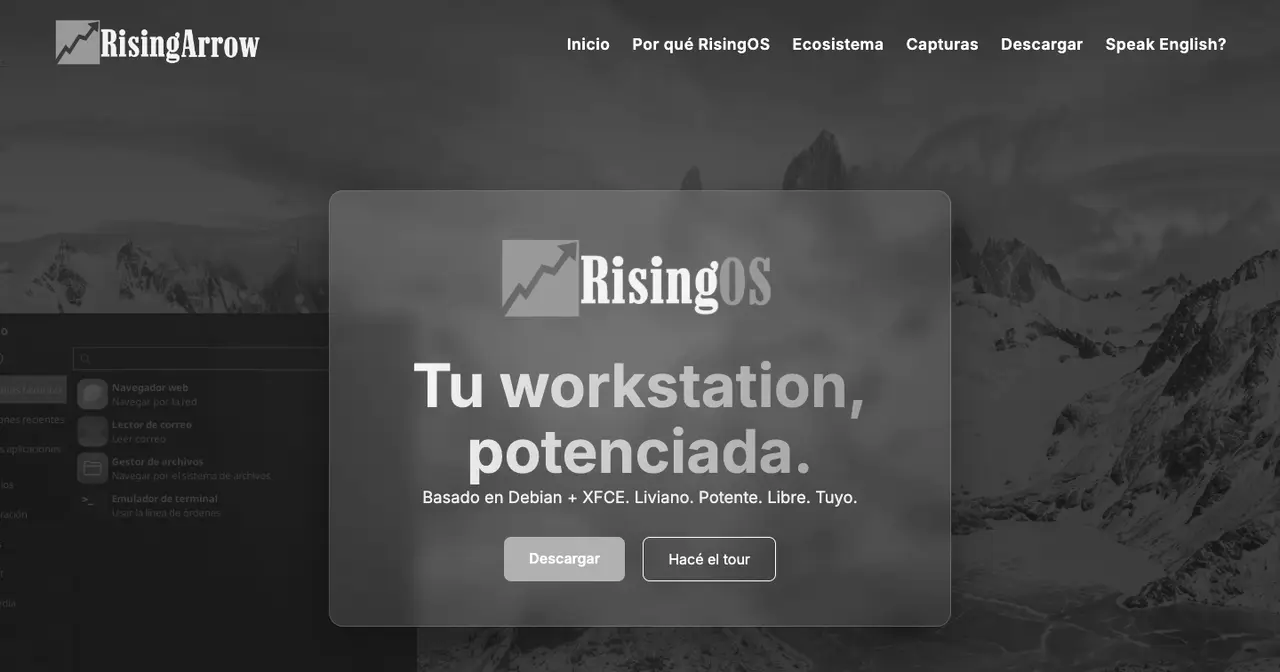
In early September, Sergi Perich of Soplos Linux published a post and a video installing RisingOS in a Proxmox virtual machine. The distro is new, comes from the Spanish-speaking world and has a clear goal: take Debian 13 “Trixie”, add a carefully tuned XFCE and ship everything in Spanish from the first boot. We went to the project’s own sources to see what is behind it.
What RisingOS is
The official site sums it up in one line: “Based on Debian + XFCE. Light. Powerful. Free. Yours.” In detail:
- Base: Debian 13 Trixie with XFCE 4.20 and the Calamares installer.
- Language: installer, system and apps designed in Spanish, with Latin America as the main audience.
- Preinstalled apps: Firefox, Thunderbird, the full LibreOffice suite and VLC, plus Flatpak integration for the software store.
- In-house apps: Rising Welcome (a welcome tour), Rising Update (its own update manager), Rising IA (an AI assistant that runs locally, with no cloud), RisingBiz (a small web-based ERP/CRM) and Rising Today, which the site lists as “in development”.
- Requirements: a dual-core x86_64 processor, 2 GB of RAM (4 GB recommended) and 20 GB of disk.
The in-house apps are distributed from the project’s own APT repository, signed with its own GPG key, and can be installed on any Debian or derivative without switching distros.
The official site lives inside that of Rising Arrow, a digital agency in Salta, Argentina. Soplos Linux credits the project to the YouTube channel La Garza Resistente. On GitHub, the RisingOS-Linux organisation was created on 2 June 2026, and the last hundred commits in its build repository are all signed by the same person.
Releases so far
SourceForge hosts two versions: 1.0, uploaded on 2 August 2026, and 1.1 (“trixie”), whose current ISO is dated 3 October and weighs about 2.4 GB. The site publishes the ISO’s SHA256 so you can check the download, which is always worth doing with small projects:
sha256sum RisingOS-1.1-trixie-amd64.isoThe commit history shows the project had a GNOME variant over the summer and has focused on XFCE since late August.
Installing it on Proxmox
Perich created a VM with four cores, 8 GB of RAM and a 100 GB disk, well above what the distro asks for. It didn’t go entirely smoothly:
- GPG signature errors on the project’s repositories during the live session. The workaround was to disable the RisingOS sources temporarily. The build repository published the APT repository’s public key in late August, so a recent ISO should work without tricks. If not, the instructions on the site include the fingerprint to check it against.
- Manual partitioning in Calamares: an EFI partition, swap, Btrfs for the root and XFS for
/home. Interestingly, on 2 September, the day after that test, the project addedxfsprogsto the ISO precisely so manual partitioning could handle XFS. - The install took about four minutes. After that came a GRUB resolution tweak, an XFCE panel rebuilt with a dock and a minimalist wallpaper, and LibreOffice removed in favour of everyday tools such as FileZilla.
If you want to try it yourself, the setup the Proxmox documentation recommends for a modern Linux guest saves trouble: q35 machine type, OVMF (UEFI) firmware with its EFI disk, the VirtIO SCSI controller for the disk, a VirtIO network card and the QEMU guest agent enabled in the VM options. Inside the guest, all you need is:
sudo apt install qemu-guest-agent
sudo systemctl enable --now qemu-guest-agent
With the agent running, Proxmox can see the VM’s IP, shut it down cleanly and freeze the filesystem before backups. If the console is stuck at a low resolution, try the VirtIO-GPU display in the VM hardware before editing GRUB. For the rest, our guides to Proxmox VE 9.2 and migrating from VMware to Proxmox cover setting up the host.
Why it has no page in the directory
We looked at it with the same yardstick we use for other brand-new projects and, for now, it stays out. There are numbered releases, but everything else points to a very early project: a single author in the history, none of its six repositories declares a licence (the site says “free” without saying which), there are no version tags in Git and the organisation is five months old. We will take another look once the code is published under a specific licence and another release comes out with release notes.
In the meantime, if you like the idea, you can try its apps on your current Debian install, or read our comparison of lightweight desktops, our look at Debian 13 and the guide to ext4, Btrfs and ZFS if partitioning gives you pause.
Sources: “Rising OS en Proxmox: instalación y personalización paso a paso” by Sergi Perich on Soplos Linux (in Spanish); the official RisingOS site; its SourceForge downloads; the RisingOS-Linux organisation on GitHub and the Proxmox VE virtual machine documentation.