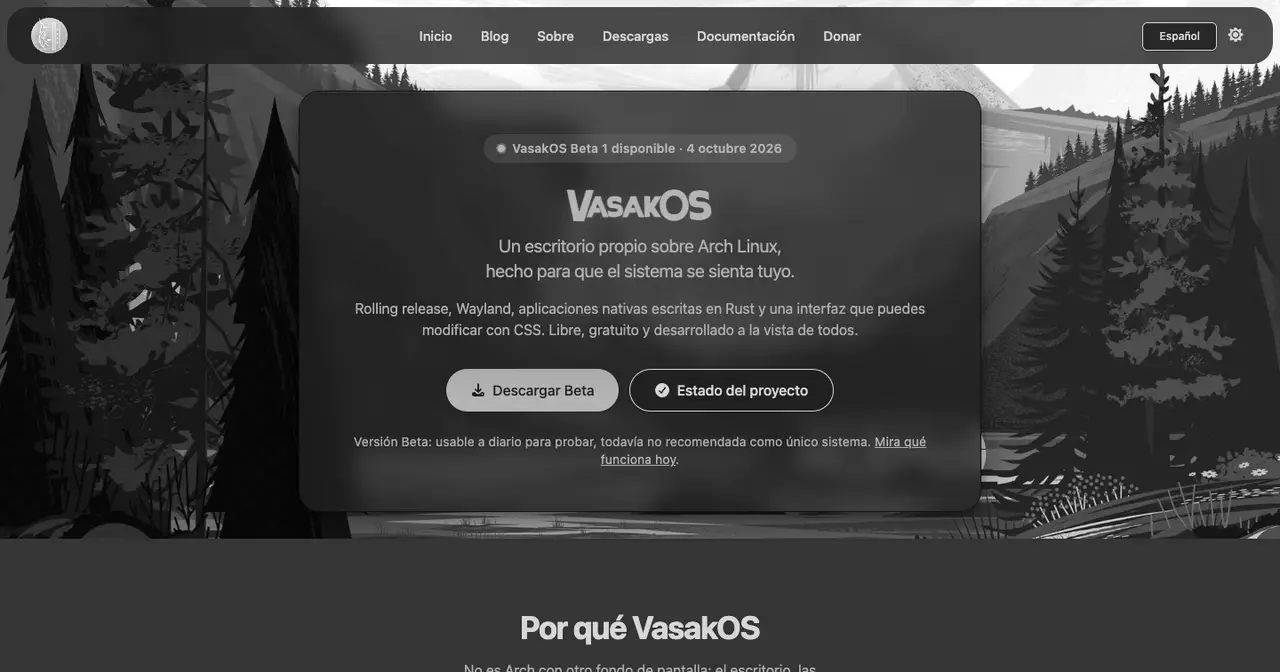
Most distributions built on Arch Linux pick an existing desktop, tune it and add a friendly installer. VasakOS went the other way: the panel, the menu, the file manager, the terminal, the settings app, the installer and even the password keyring are programs written for this system. Its first beta came out on 4 October 2026, and the Soplos Linux blog has just published a review that puts it through three different hypervisors.
What it’s made of
VasakOS is a rolling distribution on Arch Linux with a Wayland session on the Wayfire compositor (wlroots-based), started and supervised by systemd. There is no X11 session.
The project’s site talks about “native applications written in Rust”, which needs a footnote. These are Tauri 2 apps: the logic and system access are in Rust, and the interface is a Vue and TypeScript page rendered by WebKitGTK. In the desktop repository, vasak-desktop, the code is split roughly half and half between Rust and TypeScript/Vue. The upside is obvious: the look is changed with CSS and colour variables, live, without recompiling. The cost shows up in the resource monitor, as we’ll see below.
The list of in-house pieces is long. According to the beta announcement and the project’s repositories:
- Desktop (
vasak-desktop): a top panel with pill-shaped items, an app menu, notifications, network, sound, brightness, power, screen locking and trackpad gestures. - Applications: terminal, a file manager with tabs and split view, settings, gallery, the Resonance music player, a text editor, a screenshot tool and a system monitor. Mail, calendar, contacts and a store are in progress.
- Services: a keyring of its own that speaks Secret Service (AES-256-GCM and Argon2id) and replaces gnome-keyring, a PolicyKit agent, a notification daemon, a permission system that asks before an app uses the camera, microphone or screen, and a boot splash that draws the logo straight onto DRM, without Plymouth.
- Installer (
vasak-installer): its own interface on top of Calamares, with its own configuration. - A GPG-signed
vasakosrepository:pacman -Syuupdates the Arch base and the project’s packages together.
All of it is GPL-3.0, spread across about fifty public repositories in the Vasak-OS GitHub organisation.
How it fared in virtual machines
The Soplos Linux review is fair about the good and the bad. It was tested on an MSI laptop with a fourth-generation Core i7 and a GTX 960M, then on a Proxmox server with an Intel N150, always with 8 GB of RAM and a 100 GB virtual disk:
- VMware: it never finished booting, with or without 3D acceleration. It hung during startup amid service warnings.
- virt-manager (KVM, UEFI): it booted, but with the VirtIO display device and OpenGL the mouse didn’t respond properly. Switching to VGA fixed that, at the cost of 3D acceleration.
- Proxmox: Secure Boot had to be turned off in the virtual firmware. After that, with VirtIO and 512 MB of video memory, the desktop came up, though it was sluggish at times.
The installer’s options get praise: Btrfs, ext4 or XFS, ZRAM, disk encryption and an administrator account separate from the everyday one, a good idea you rarely see. You can also pick a browser, graphics drivers and wireless components. Manual partitioning is missing, and on some screens the Spanish keyboard layout didn’t type the right characters, although it worked fine on the desktop afterwards.
Once installed, the design is the highlight. The complaints are the kind you expect from a young project: some widgets don’t close when you click outside them, the file manager opens with awkward column layouts, and a few keyboard shortcuts won’t be what someone coming from another desktop expects, though they can be changed.
Memory use, and why it looks like that
In the VM, the freshly booted system used about 2.29 GB of RAM, with a WebKit process at around 500 MB, and some CPU activity even when idle. That was a VM while recording a video, so it isn’t a benchmark. But the number fits the design: every desktop surface is a web view, and every resident WebKitWebProcess takes memory. The project knows this. The desktop’s code includes WebKit tuning “to lower the memory floor of each resident WebKitWebProcess”, tied to an open issue.
If you’re after a lightweight desktop for modest hardware, this isn’t it, at least not yet.
Who’s behind it
VasakOS is developed by Joaquín “Pato” Décima in Argentina, whose account appears on practically every commit in the main repositories. The project dates back to September 2022, but most of the work happened this year: Alpha 3 came out in April, Alpha 4 on 19 August and Beta 1 in October, with dated images on SourceForge. The project’s blog is upfront about it: there is one full-time developer. It also spells out its AI policy. Code that gets merged is reviewed and understood by a person, while social posts and announcements are drafted with AI help because there’s nobody else to write them. It’s good that they say so.
Is it worth a try?
As a curiosity, yes. It isn’t another Arch with a different wallpaper: it’s one of the few current attempts at building a complete Linux desktop from scratch, with ideas of its own such as the permission system and the separate admin account. The site itself calls it “usable daily for testing, not yet recommended as your only system”, and the Soplos Linux tests back that up. If you try it in a VM, go straight to KVM or Proxmox with Secure Boot off, and if the mouse misbehaves, switch the display to VGA.
We’re not giving it a catalogue page yet. It publishes dated images and has four years of history, but it rests on a single person and has no stable release so far. We’ll look again when the first one lands. Meanwhile, see the Arch Linux page, the Omarchy page, another distinctive desktop on top of Arch, the history of Arch Linux and our comparison of X11 vs Wayland.
Sources: the review “VasakOS: análisis de su escritorio en Rust y pruebas en máquinas virtuales” on the Soplos Linux blog; the VasakOS website, its downloads page, the Beta 1 announcement and the note on AI use; the Vasak-OS repositories on GitHub and the files on SourceForge.