Three releases that matter to the Linux desktop landed between 27 October and 2 November 2026: Ghostty 1.4, Mitchell Hashimoto’s GPU-accelerated terminal; GIMP 3.2.8, a maintenance release on the stable branch; and Firefox 159. Here is what each brings for Linux users and where to get it.
Ghostty 1.4: a new renderer and sharp text under fractional scaling
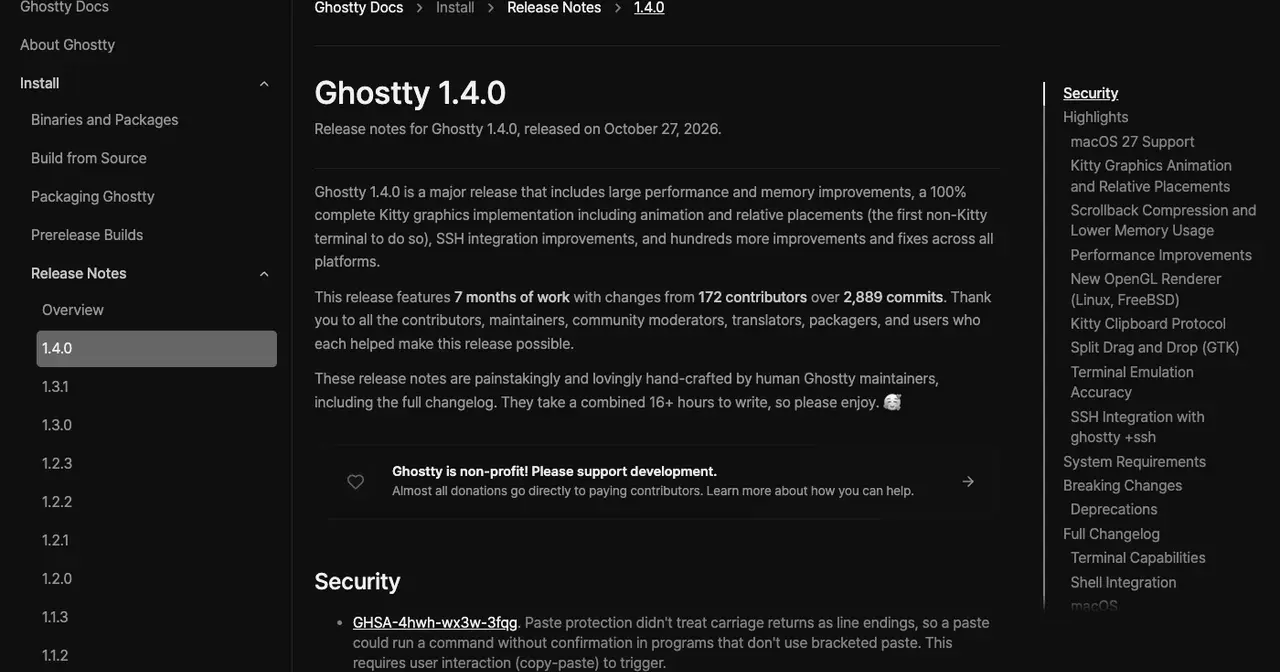
Version 1.4.0, released on 27 October 2026. The release notes put it at seven months of work, 172 contributors and 2,889 commits. The biggest Linux change is a new OpenGL renderer in the GTK app. It drops GtkGLArea, draws with EGL on its own thread, exports each frame as a DMABUF and hands it to GTK for display. Rendering is triple-buffered, which should cut tearing a lot, and the main thread no longer makes any OpenGL calls. What users will actually see is crisp text under fractional scaling (125%, 150%): text and box-drawing characters are no longer blurry. The bug had been fixed once before and came back after upstream GTK changes. On drivers that can’t export DMABUFs, frames are copied through the CPU, which is slower but works.
More for GTK and Wayland:
- Drag and drop to rearrange splits, across tabs and windows too, as macOS has had since 1.3. A new
drag-handleoption controls whether the handles show. - Background blur now uses the compositor-agnostic
ext-background-effect-v1protocol instead of KDE’s, so it works on compositors such as Niri. - Global keybinds use the
vicinae-hotkey-v1protocol where the compositor supports it (Hyprland 0.56+) and fall back to the XDG desktop portal otherwise. quick-terminal-screenworks on Wayland. Two new CLI commands,+new-taband+toggle-quick-terminal, help window managers that have no global shortcut support.- URLs open through the XDG portal, hidden tabs stop rendering, and a launch failure with systemd 262 is fixed.
On every platform, scrollback is now compressed while it’s off-screen, which cuts the physical memory it uses by 70% to 90%. That’s why the default limit goes up from 10 MB to 50 MB per terminal. On Linux, compression is only available on 64-bit systems. The Kitty graphics implementation now covers 100% of the spec, animation included, and the Kitty clipboard protocol (OSC 5522) is in. The release also fixes several security advisories, including one in paste protection and one in the zsh shell integration.
There is one big catch: Ghostty 1.4 needs GTK 4.18 and libadwaita 1.7, and the notes say outright that Ubuntu 24.04 LTS doesn’t meet that. Their suggested workarounds are to stay on an older Ghostty or use the Flatpak package. The install page lists the community packages. Ghostty is in Arch Linux’s extra repository (pacman -S ghostty) and in the Snap Store (snap install ghostty --classic, already at 1.4.0). It’s in the official Ubuntu repositories from 26.04 onwards, though not always at the latest version, and Fedora users can get it from COPR or Terra.
Linux Mint is building a terminal of its own too. We covered it in our piece on Velocitty and Superlight.
GIMP 3.2.8: faster Preferences and better right-to-left text
Version 3.2.8, tagged on 2 November 2026. The source tarball and the x86_64 and aarch64 AppImages went up on the download server that same evening. It’s a bug-fix release on the 3.2 branch, and the NEWS file has two changes most people will notice:
- The Preferences dialog opens much faster. It used to be one of the slow spots in the UI.
- The Text tool handles right-to-left languages better. Arrow keys behave properly in RTL text, including when LTR runs are mixed in, and the tool’s on-canvas UI gains RTL and LTR direction icons. Until you pick a direction yourself, GIMP detects the base direction of the text with the Unicode Bidirectional Algorithm.
Other fixes stop the system theme from leaking into the UI, place dialogs better when they first open, localise menu paths in Action Search, and let you cancel font loading if you quit GIMP right after starting it. Offset is allowed as a non-destructive filter again. Copying an image to the clipboard now includes its DPI when gdk-pixbuf supports it. Several plug-in security bugs are fixed. For developers, gimp_procedure_add_menu_path() can now add submenus, and gimp_plug_in_add_menu_branch() is deprecated.
On Linux, the official AppImage is on download.gimp.org, and the Snap, published by the GIMP team, is already at 3.2.8. On 3 November Flathub (org.gimp.GIMP) still had 3.2.6, so check the version before you update that way.
Firefox 159: Wayland and AMD graphics fixes
Version 159.0, released on 27 October 2026. Mozilla’s notes list three Linux-specific fixes:
- Tabs no longer detach into a new window when you click them on Wayland.
- Excessive memory use with AMD graphics is fixed when viewing maps or place results on sites such as ChatGPT.
- Menus and panels no longer fade in when the OS has animations turned off (on Windows too).
Some general changes reach Linux as well. Open tabs can be searched with Ctrl+Shift+A, and the Extensions and Themes shortcut moves to Ctrl+Shift+F. Both can be changed in about:keyboard. Saved passwords are in the sidebar by default. The file upload dialog opens in the folder you last uploaded from, not in Downloads. Sites that reject HTTP/3, such as Slack, fall back to HTTP/2 again. Web developers get scroll-driven animations and scoped custom element registries, and the release carries the usual security fixes.
On Linux, Mozilla offers direct downloads for 64-bit and ARM64. Version 159.0 is already on Flathub (org.mozilla.firefox) and in the Snap Store’s stable channel, which is how Ubuntu ships it. Other distributions get it through their own repositories.
Sources: Ghostty 1.4.0 release notes and install instructions; GIMP 3.2.8 NEWS file and GIMP download server; Firefox 159.0 release notes.